


Did you know that Android holds 72.04 of the global smartphone market, while iOS takes up 27.49? Together, they dominate nearly all mobile devices worldwide. If you want to reach a bigger audience, deciding between iOS and Android app development is an important step.
iOS and Android app development are two different approaches. Each has its own tools, frameworks, and strategies. Whether you’re creating the first app for your startup or expanding your business, understanding these differences can help you succeed in the competitive tech market.
Not sure which platform is right for your goals? Don’t worry we’ve got you covered. Here, learn everything about iOS and Android apps along with their development. It will cover processes, differences, costs, and more. By the end, you’ll know how to make the right choice for your business!
Different Approaches to App Development
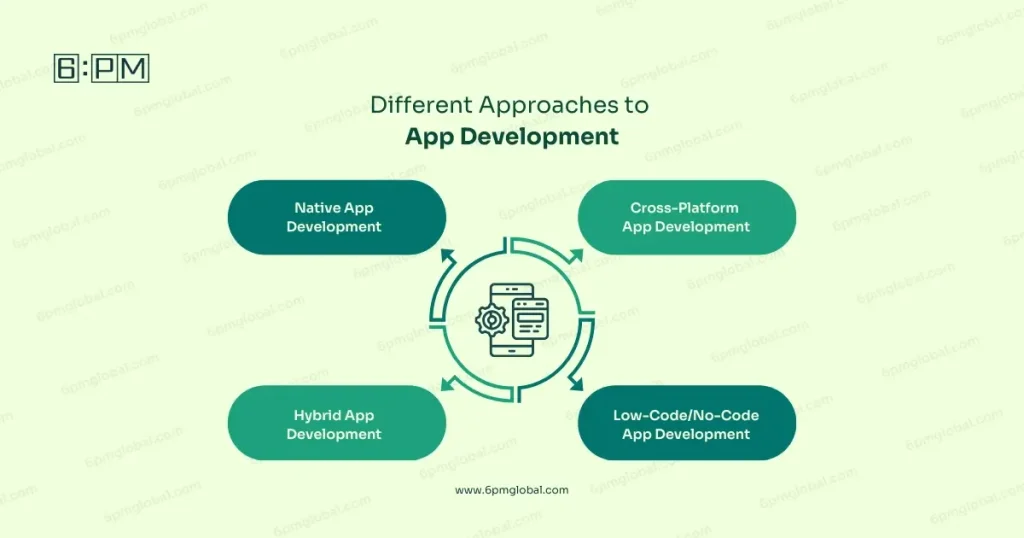
App development is the process of building software applications for mobile devices like smartphones. It involves designing, coding, and deploying apps for platforms such as iOS and Android. When you’re building an app, there are different approaches you can take depending on your goals, budget, and target audience.
Each approach has its own strengths and weaknesses. Selecting the right one depends on the app’s purpose, budget, and the audience it aims to serve.
Here are the most common methods:
Native App Development
Native app development focuses on creating apps specifically for one platform, such as iOS or Android.
- Tools: Developers use platform-specific languages like Swift for iOS and Kotlin for Android.
- Performance: Native apps are optimized for their platforms, offering high performance and smooth functionality.
- User Experience: Ensures seamless integration with platform-specific design guidelines.
- Challenges: Requires separate development for each platform, increasing time and costs.
Cross-Platform App Development
Cross-platform development enables developers to create apps for multiple platforms using a shared codebase.
- Frameworks: Tools like React Native and Flutter simplify the process.
- Cost-Effective: Saves time and money by reducing the need for duplicate coding.
- Effortless Updates: One update applies to both iOS and Android.
- Drawbacks: Performance may not match that of native apps in some cases.
Hybrid App Development
Hybrid apps combine elements of web and native apps, making them a flexible solution for some businesses.
- Technology: Built using web technologies like HTML, CSS, and JavaScript, wrapped in a native shell.
- Benefits: Faster to develop and easier to maintain.
- Drawbacks: Can struggle with performance and scalability for complex apps.
- Frameworks: Popular options include Ionic and Apache Cordova.
Low-Code/No-Code App Development
Low-code and no-code platforms enable app creation without extensive coding skills.
- Ease of Use: Perfect for businesses or individuals with little technical knowledge.
- Speed: Speeds up development with drag-and-drop tools and pre-built modules.
- Trade-offs: Customization and scalability options may be limited.
- Platforms: Examples include Bubble, Adalo, and OutSystems.
Major Differences Between iOS and Android App Development
iOS and Android app development has several differences that affect the development process, user experience, and business strategy. Let’s see a breakdown:
| Aspect | iOS | Android |
|---|---|---|
| Programming Language | Uses Swift or Objective-C. | Uses Kotlin or Java. |
| Customizability | Offers a polished, consistent user experience. | Allows more freedom for unique designs and features. |
| Development Tools | Xcode is the official tool for iOS development. | Android Studio is the primary IDE for Android apps. |
| Design Guidelines | Follows Apple’s Human Interface Guidelines. | Based on Google’s Material Design principles. |
| Device Variety | Limited to Apple devices, ensuring consistent testing. | Wide range of devices from various manufacturers. |
| Market Share | Strong in premium markets like the US and Europe. | Dominates globally, especially in Asia and developing regions |
| App Store Policies | The Apple App Store has stricter rules and longer reviews. | Google Play Store offers faster reviews and more flexibility. |
| Revenue Model | Focuses on in-app purchases and premium apps. | Relies heavily on ads and free/ premium models. |
| Testing Complexity | Fewer devices make testing simpler. | Device diversity increases testing complexity. |
| Security | Strict guidelines can slow development and approval times. | Open platform increases vulnerability to malware. |
How to Develop an App for iOS and Android
Creating desktop or mobile apps for both Android and iOS might seem challenging at first, but with the right approach, you can turn your idea into reality. Here’s a step-by-step guide to help you get started:
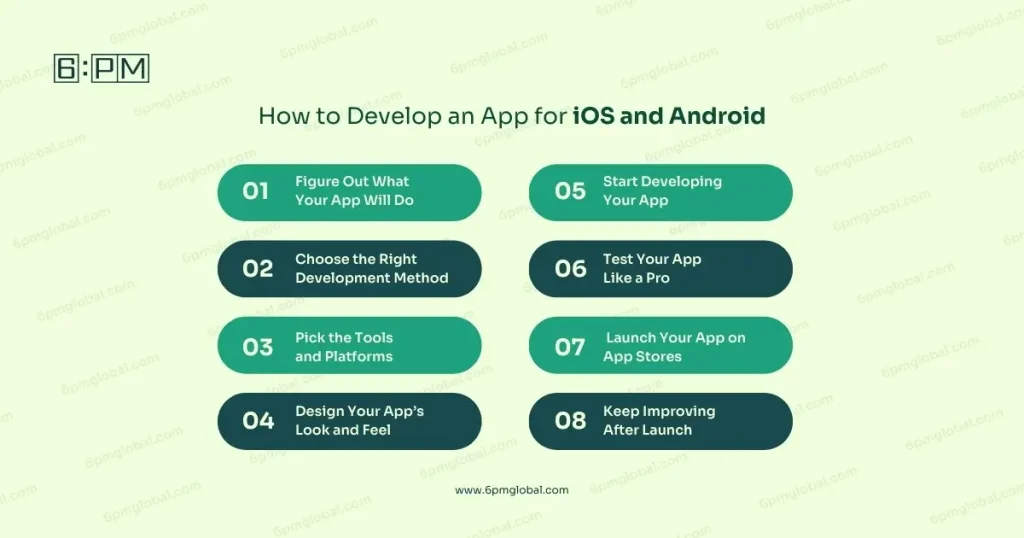
1. Figure Out What Your App Will Do
- Start by asking yourself, “What problem does my app solve?”
- List the features you want. Keep them simple and focused on your users’ needs.
- Check out similar apps. Look for what they’re missing and think about how you can do better.
2. Choose the Right Development Method
You have several options depending on your budget and skills:
- Native Development: Build separate apps for iOS and Android for better performance.
- Cross-Platform Development: Use tools like Flutter or React Native to create one app for both platforms.
- Hybrid or Web Apps: A faster, budget-friendly option for simpler projects.
3. Pick the Tools and Platforms
- For iOS, use Xcode and Swift.
- For Android, Android Studio and Kotlin are your go-to tools.
- Want to save time? Cross-platform frameworks like Flutter can help you develop for both platforms at once.
4. Design Your App’s Look and Feel
- Think about how your users will interact with your app.
- Follow design guidelines to match user expectations. iOS keeps using Apple’s Human Interface Guidelines while Android uses Google’s Material Design.
- Create a prototype so you can visualize your app before development starts.
5. Start Developing Your App
- Set up your workspace or team with the right tools for iOS or Android.
- Begin coding your app step by step. You don’t have to tackle everything at once. If you need expert suggestions during this time, consider consulting with 6PM Global CTOs.
- Need extra features like maps or payments? Use APIs to integrate them easily.
6. Test Your App Like a Pro
- Test on real devices to ensure it works smoothly. Borrow or use tools like simulators if needed.
- Use TestFlight for iOS or Firebase Test Lab for Android to catch bugs early.
- Make sure your app looks good and runs well on all screen sizes.
7. Launch Your App on App Stores
- For iOS, submit your app through Xcode. Remember, Apple’s guidelines are strict, so double-check your app meets all requirements.
- For Android, use the Google Developer Console to upload your app to the Google Play Store.
8. Keep Improving After Launch
- Listen to your users! Check their reviews and feedback to see what they love or what’s missing.
- Roll out updates regularly to fix any issues and add features they’ll appreciate.
- Track performance using analytics to understand how people are using your app.
Costs of Creating Android and iOS Apps
The cost of developing an app varies based on factors like complexity, platform choice, and design requirements. Below is a simplified breakdown of the costs, based on data from SpdLoad:
1. Simple Apps
These apps have basic functionality, such as a single purpose or a few static features. They are ideal for small businesses or startups looking for a basic presence.
- Cost: $40,000 – $60,000
2. Moderately Complex Apps
Apps in this category include features like user accounts, real-time updates, or payment integrations. These are suitable for businesses aiming to provide interactive experiences.
- Cost: $60,000 – $120,000
3. Highly Complex Apps
These apps are advanced, featuring AI, machine learning, or custom UI/UX designs. Large businesses or enterprises with extensive user bases often opt for such apps.
- Cost: $120,000 – $300,000 or more
4. Additional Costs
- App Store Fees:
- Apple App Store: $99 per year for individuals or $299 for enterprises.
- Google Play Store: One-time fee of $25.
- Maintenance: Keeping your app up-to-date and compatible with new devices and OS versions can cost 15%–20% of the initial development cost annually.
Which One is Right for You: iOS or Android?
Both iOS and Android are excellent platforms, each offering its own advantages. Use these factors to decide which one suits your needs best for your mobile application or for any other platform or both!
Understanding your audience, budget, and business goals will help you choose the right platform that matches your target.
| Criteria | iOS | Android |
|---|---|---|
| Target Audience | Popular in the US, UK, and Canada; higher purchasing power. | Dominates in Asia, and Africa; diverse audience. |
| Budget | Higher due to strict guidelines and premium tools. | Dominates in Asia, and Africa; a diverse audience. |
| Launch Time | Slower approval on the App Store. | Faster publishing on the Play Store. |
| Features | Seamless integration with Apple’s ecosystem. | Highly customizable, supports many devices. |
| Revenue Potential | Higher from in-app purchases and premium apps. | Larger audience, great for ads. |
| Maintenance | Easier due to Apple’s controlled ecosystem. | Harder due to device and OS variety. |
Conclusion
To sum up, choosing between iOS and Android app development depends on your business needs, audience, and budget. iOS works best for businesses targeting high-paying users, while Android is great for reaching a larger and more varied audience.
iOS is a good option if your focus is on revenue from in-app purchases, and Android is ideal if you want flexibility and a larger customer base. Take time to assess your goals and resources to pick the right platform for your app.
Overall, understanding the process and costs involved in app development will help you make the best decision and create an app that meets your business goals.
FAQs
Can I develop one app that works for both iOS and Android?
Yes, you can use a cross-platform development framework like Flutter or React Native. These tools allow you to write one codebase that works on both iOS devices and Android, saving time and development costs.
How long does it take to develop an app for iOS and Android?
The timeline depends on app’s complexity. Simple apps may take 3–6 months, while more complex apps with advanced features can take 9–12 months or longer. Proper planning helps reduce the development timeline and speed up the process.
Do I need separate teams for iOS and Android app development?
It depends. Making an app in native app development usually requires separate teams for each platform. However, if your development approach includes using a cross-platform framework, one team can handle both platforms.
Which platform is better for a startup with a limited budget?
If your budget is limited, Android may be more affordable to develop initially. Cross-platform tools like Flutter can also help startups build for both platforms cost-effectively without doubling development efforts.
Are there limitations to using cross-platform tools?
Cross-platform tools can save time, but they may not fully support platform-specific features or provide the same performance as native apps. Complex apps requiring hardware integrations may work better with native development.