


Did you know that according to Statista 43% of developers highly trust and have adopted or plan to adopt AI tools in software development? AI assisted software development uses machine learning and natural language processing (NLP) to help developers automate tasks, generate code, detect bugs, and optimize performance.
Well, AI in software development enhances productivity and efficiency by automating repetitive tasks. Plus, it provides real-time suggestions and identifies errors early in the development process.
Want to learn more? Read on to learn how AI is revolutionizing coding, the benefits it offers, the challenges it presents, and the best practices for integrating AI into your development workflow.
Let’s buckle up!
What is AI-Assisted Software Development?
AI-assisted software development uses AI technologies to help you in the software development process. These tools can automate repetitive tasks, generate code, detect bugs, and optimize performance.
Moreover, using machine learning and natural language processing, AI understands code patterns and provides real-time suggestions. The aim is to assist you, not replace you, by enhancing your abilities and allowing you to focus on more complex and creative tasks.
As a result, AI tools act as a supportive partner, helping you improve productivity and code quality while reducing errors and inefficiencies. So, by integrating AI into your workflow, you can work smarter and more efficiently.
How Does AI Help in the Software Development Process?
AI enhances the software development process in multiple ways by implementing machine learning, NLP, and other advanced algorithms. It helps to optimize, automate, and improve various stages of the software lifecycle.
Here is how AI contributes:
Code Generation
AI tools like GitHub, Copilot and Amazon CodeWhisperer assist in code writing. For example, generating boilerplate code, functions, or even entire classes based on prompts or comments.
AI-powered systems can also translate human language descriptions into executable code.
Bug Detection and Error Management
Tools with ai provide suggestions for fixing errors as developers code, reducing debugging time. It helps to identify and predict bugs by analyzing code patterns and historical data.
AI also detects potential vulnerabilities and suggests solutions, ensuring smooth and secure software.
Automation of Repetitive Tasks
AI automates unit testing, integration testing, and performance testing. By automating testing the development cycle of the project speeds up.
For faster and smoother workflows, AI can enhance CI/CD pipelines by predicting delays, automating builds, and with faster deployments.
Code Optimization
To make the code more efficient and scalable, AI analyzes and suggests improvements as per performance. AI identifies redundant code and suggests refactoring to stick to best practices.
Natural Language Processing (NLP) Integration
AI-driven assistants help developers troubleshoot issues by answering questions in natural language. It also enhances search functionality within codebases, allowing developers to locate specific sections or resolve errors more quickly.
Benefits of AI in Software Development
AI in software development offers a lot of benefits that can improve your workflow. By using AI tools, you can expand productivity, accuracy, collaboration, accessibility, and predictive capabilities.
Here are the major benefits:

Increased Productivity
AI tools automate routine tasks, freeing you to focus on more complex problems. This accelerates project timelines and improves overall productivity. By reducing the time spent on repetitive tasks, you can dedicate more effort to innovation and critical thinking, leading to more efficient project completion.
Improved Accuracy
AI detects errors and vulnerabilities in code that you might overlook, resulting in higher code quality and fewer bugs. It leads to more reliable and robust software. AI’s precision ensures that potential issues are identified early.
Also, it prevents costly fixes later in the development framework.
Enhanced Collaboration
Now, AI-driven tools can explain complex code and offer suggestions, making it easier for teams to communicate and collaborate effectively. This supports a more cohesive development environment.
Furthermore, clear explanations and real-time feedback from AI tools help bridge knowledge gaps and improve team synergy.
Accessibility
AI makes software development more accessible to those with limited coding skills. It provides clear documentation and simplifies complex tasks, enabling more people to contribute to projects.
Thus, by lowering the barrier to entry, AI empowers a broad range of individuals to participate in the development process.
Predictive Analytics
Lastly, AI can analyze historical project data to provide accurate predictions for project timelines, resource allocation, and risk management. It helps you plan better and manage resources more efficiently.
Also, predictive insights from artificial intelligence tools enable proactive decision-making and effective risk mitigation.
Differences Between AI Assisted Development and Traditional Development Methods
Here’s a comparison table highlighting the differences between AI assisted Development and Traditional Development Methods:
| Aspect | AI Assisted Development | Traditional Development |
|---|---|---|
| Project Demand | Projects needing rapid iteration and innovation. | Fully custom solutions but require more time and resources. |
| Adaptability | Quickly adapt to changes in project requirements. | Depends on the developers’ ability to learn and implement. |
| Learning Curve | Requires developers to learn and adapt to AI tools. | Relies on developers’ existing knowledge and experience. |
| Skill Dependency | Reduces the dependency on skilled developers and allows jr. developers to contribute. | Relies on experienced developers for all stages of the process. |
| Cost | AI tools may cost higher but reduce costs over time. | Costs depend on team size and development time. |
| Examples | Tools like GitHub Copilot, OpenAI Codex and ChatGPT for code assistance. | Agile, DevOps, or custom frameworks developed without AI assistance. |
Things to Consider Before Selecting AI Integrated Tool
Choosing the right AI tools for software is essential to maximize their benefits. Consider the following factors to make an informed decision:
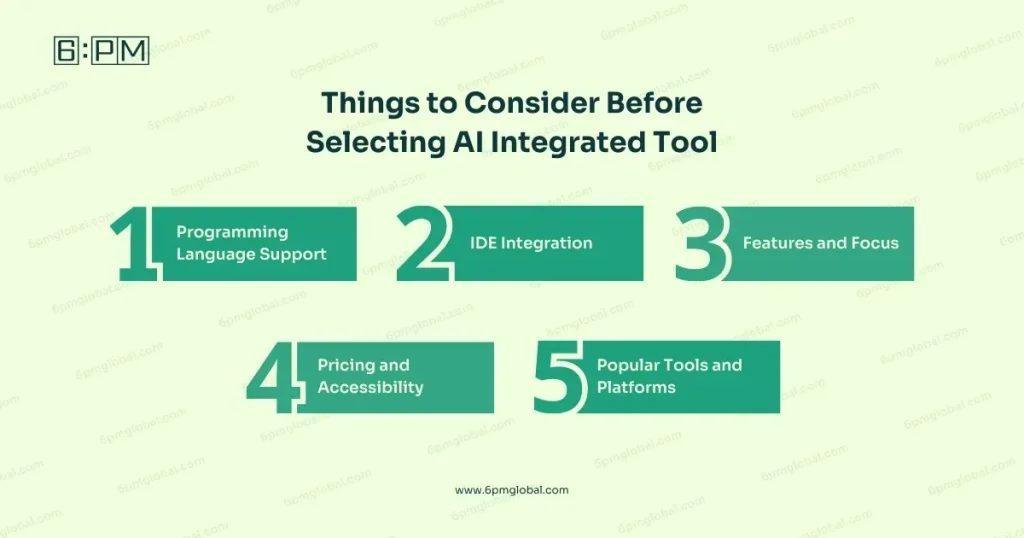
Programming Language Support
First of all, make sure that the tool supports the languages used in your projects. A tool that works well with multiple programming languages offers flexibility and can adapt to various project requirements.
Well, this compatibility ensures that the tool will be useful across different projects and teams, enhancing its value in your development workflow.
IDE Integration
Choose tools that integrate seamlessly with your preferred development environment. Integration with popular Integrated Development Environments (IDEs) like Visual Studio Code, IntelliJ, or Eclipse ensures that the AI tool can be easily incorporated into your existing workflow.
The smooth integration enriches productivity by providing real-time suggestions and automating repetitive tasks directly within the IDE.
Features and Focus
Select tools that meet your specific needs, such as code generation, bug detection, or natural language processing. Assess each tool’s features to ensure they match your project requirements.
Remember that tools with specialized capabilities can provide targeted assistance, improving efficiency and effectiveness in specific areas of development.
Pricing and Accessibility
Evaluate different pricing models and availability options to find the best fit for your budget and workflow. Consider whether the tool offers a free trial or tiered pricing based on usage.
Accessibility is also crucial; ensure the tool is available and supported in your region, and consider any potential hidden costs associated with implementation and maintenance.
Popular Tools and Platforms
Last but not least, explore well-known tools and platforms for AI-assisted code development to see what suits your needs.
Examples include GitHub Copilot, Google’s Gemini Code Assist, Amazon CodeWhisperer, and OpenAI’s ChatGPT.
These tools are widely recognized for their capabilities and have been adopted by many developers. Also, they provide a solid foundation for enhancing your software development process.

Challenges of AI-Assisted Development of Software
While AI assisted software development has many benefits, it also has several challenges. Understanding these challenges is essential for effectively integrating AI tools into your workflow.
Let’s find out the key challenges:
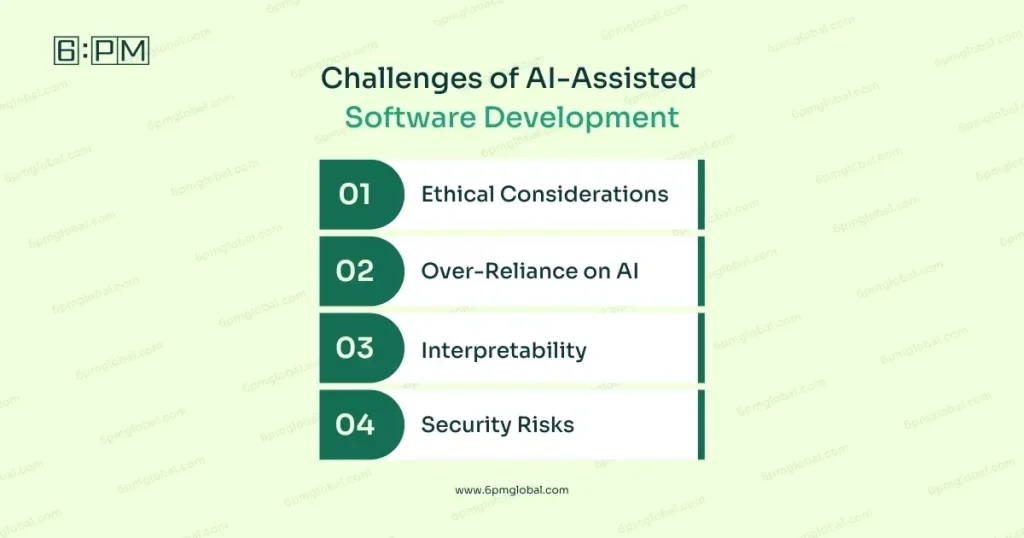
Ethical Considerations
The use of AI in software development raises ethical concerns. Potential biases in AI algorithms and the impact on job security for developers are significant issues.
So, you need to ensure fairness and address biases in AI models to maintain trust and integrity in development processes.
Over-Reliance on AI
Developers might become too dependent on AI tools, which can diminish their own problem-solving and creative skills. It’s important to utilize AI as a supportive tool, not a replacement.
Moreover, balancing AI assistance with personal skill development ensures developers maintain their expertise and innovation capabilities.
Interpretability
Understanding and explaining the decisions made by AI can be difficult. This raises questions about transparency and accountability.
Hence, ensuring that AI decisions are interpretable and explainable helps maintain trust and allows developers to validate and understand AI-generated outputs.
Security Risks
AI introduces new security risks, such as adversarial attacks that manipulate AI models to produce unexpected outcomes. Protecting AI systems from such vulnerabilities is crucial to ensure the security and reliability of software.
Note that robust security measures and continuous monitoring are necessary to protect against these threats.
How to Use AI in Software Development
To effectively integrate AI into your development workflow, follow these best practices:

Start Small
Begin with specific tasks and controlled environments to assess the tool’s effectiveness. By starting with manageable tasks, you can evaluate how well the AI tool integrates into your existing processes.
This approach allows you to identify any issues and make necessary adjustments before scaling up to more complex projects. Gradual implementation helps ensure a smoother transition and better adoption among your team.
Maintain Quality Standards
Implement robust code review and validation procedures to ensure AI-generated code meets your quality standards. Regularly review the AI-generated code for accuracy and consistency with your project’s guidelines.
Furthermore, establishing strict validation processes helps catch potential errors and ensures the AI tool enhances, rather than compromises, your code quality. Maintaining high standards is necessary for reliable and maintainable software.
Explore Different Tools
Research and experiment with various AI-powered coding assistants to find the best fit for your workflow. Each tool has unique features and strengths, so exploring multiple options allows you to discover which one aligns best with your project needs and team preferences.
Hence, continuous experimentation and adaptation ensure that you use the most effective tools for your development process.
Educate Your Team
Provide training and upskilling opportunities to ensure your team can effectively use generative AI tools.
Always know that investing in education helps your team understand how to utilize tools efficiently and maximize their potential. Offer workshops, tutorials, and ongoing support to update your team on the latest advancements and best practices of using AI in software development. For your convenience, you can also hire a Tech Advisor or a CTO to help you manage your team and give you tech guidelines. 6PM Global is amazing here to give you that guidance, so you can contact us anytime!
Balance Human Creativity and AI Automation
Use AI as a supportive tool while maintaining human oversight and creativity in the development process. While AI can automate many tasks, human intuition and creativity are irreplaceable.
Hence, encourage your team to use AI for routine tasks and error detection but rely on human expertise for complex problem-solving and innovative solutions. Balancing automation with human input ensures an effective development workflow.
Case Study on AI-Assisted Programming
Now, we will go through a case study on AI Assisted Programming. The study was conducted by Gottlander along with his team. The paper explores how artificial intelligence (AI) tools, like GitHub Copilot, are changing the way software engineers work.
Copilot is an AI program that helps programmers by suggesting code as they write. For example, if a programmer types a comment like, “Create a function to sort a list,” Copilot can write the actual code for that.
How the Study Worked:
Researchers had some programmers use Copilot for two weeks, while others watched a demonstration of how it works. Then, they interviewed them to understand their experiences.
What the Study Found:
- Instead of searching online for solutions, programmers can get suggestions instantly.
- These tools can make it easier for beginners to start programming, potentially lowering the barrier to entering the profession.
- Copilot can save a lot of time but it isn’t perfect. Programmers need to carefully check their suggestions to ensure they are correct and secure.
- While AI tools can make programming faster and easier, it’s still important for programmers to know the basics so they can spot mistakes and improve the AI’s output.
- These tools are already changing the programming profession by making some tasks easier and freeing up time for more creative and strategic work.
So, ultimately we can see that AI tools like Copilot are powerful helpers for programmers. They can make programming faster and more accessible, but programmers still need to stay skilled to ensure the quality of the final product.
Conclusion
To wrap up, AI assisted software development is a major leap forward in the tech industry. It brings many benefits, like increased productivity and improved accuracy, while also posing some challenges.
So, by carefully integrating AI tools, keeping high-quality standards, and encouraging teamwork, you can make the most of AI-assisted development.
As AI technology keeps advancing, it will play an even bigger role in software development, transforming how we write code and shaping the future of the industry. Hence, embrace these changes to stay ahead and make the most of what AI has to offer.
Best of luck!
FAQs
What is an AI software developer?
An AI software developer designs, develops and maintains software applications using artificial intelligence technologies like machine learning and natural language processing. They may use AI tools but remain independent thinkers, relying on AI to enhance productivity, not replace their expertise.
What is the Best AI for Software Development?
The best AI for software development depends on your needs. GitHub Copilot is good for code generation, ChatGPT aids debugging and the list goes on. So, the best AI for you will vary according to your needs.
Can AI Detect Bugs in My Code?
Yes, AI can detect bugs by analyzing AI code patterns and comparing them to known error patterns. It helps identify potential issues early, ensuring higher code quality and reducing debugging time.
How Does AI Enhance Collaboration Among Development Teams?
AI tools can explain complex code and provide suggestions. This makes it easier for team members to understand each other’s work. Also, it improves communication and collaboration within the team.
Is AI-assisted Software Development Suitable for Beginners?
Yes, AI tools can make software development more accessible to beginners by providing clear documentation, code suggestions, and real-time feedback. This helps beginners learn and improve their coding skills more quickly.